Year2Project

The year 2 project

This blog is used to introduce the process of the year two project. The project is “Robot for remote monitoring”.

Introduction

  • The project is about robot for remote monitoring, simply speaking is a vehicle with a weather station on it. And the robot can send the weather station to the specific place to do the measurement and collect the data then go back with the data.

First week

  • Week’s activities

    • Assemble the new smart car
      car1car2

    • Write a Arduino program and find the example programs for mBot to test the vehicle

  • Problem, issues and concerns

    • How to collect the data and store?
    • Transmission methods
  • Tasks for next week

    • Data collecting methods and storing methods
    • Transmission methods

Second week

  • Week’s activities

    • Looking for the method for the measurement

      • Using the Arduino UNO board for the base of the weather station.
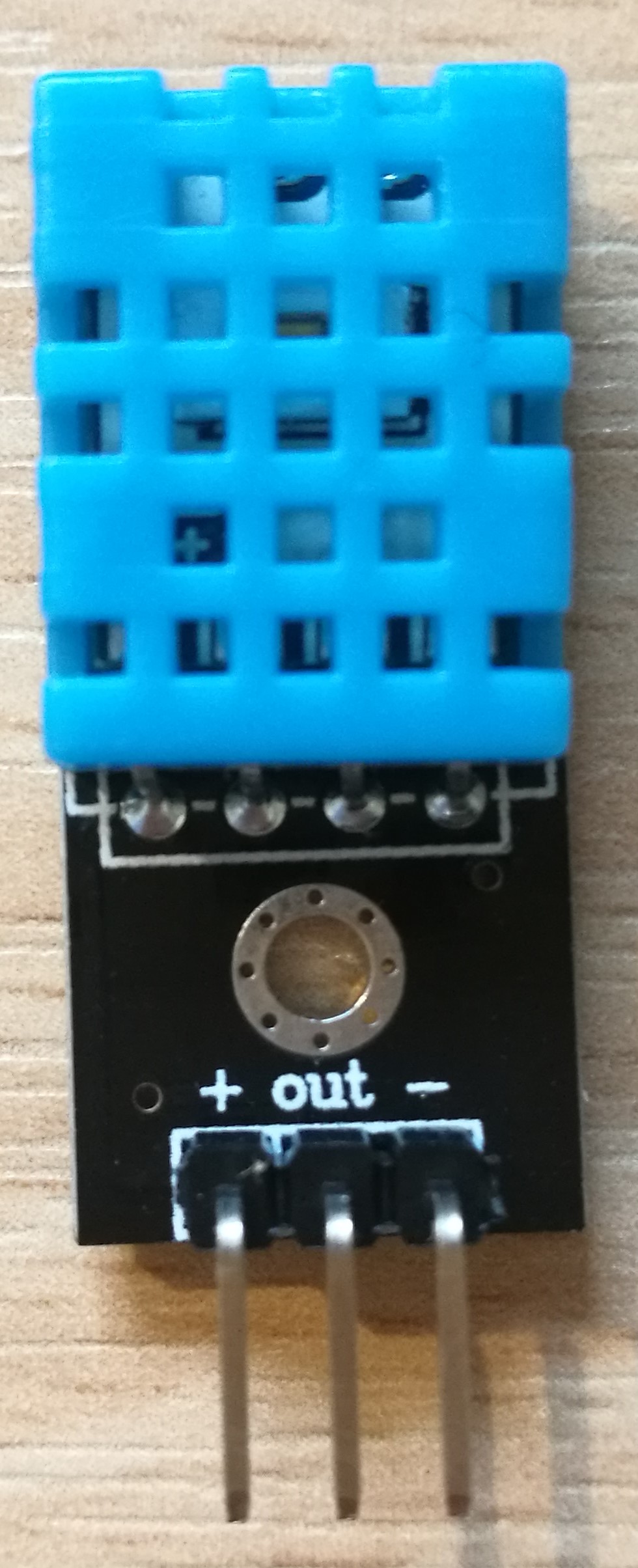
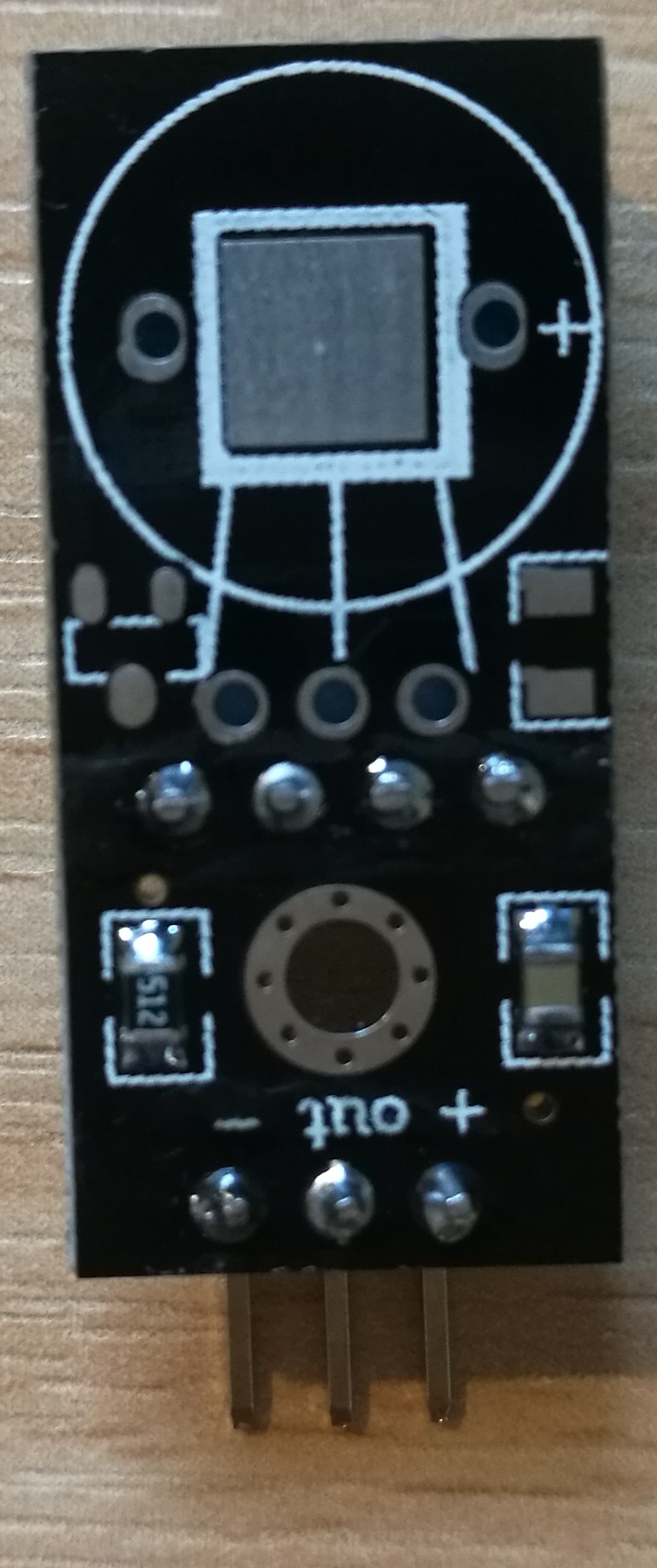
      • Using the sensor DHT11 for the temperature and humidity measurement.
      • Using the sensor TSG813 for the measurement of the methane($CH_4$)
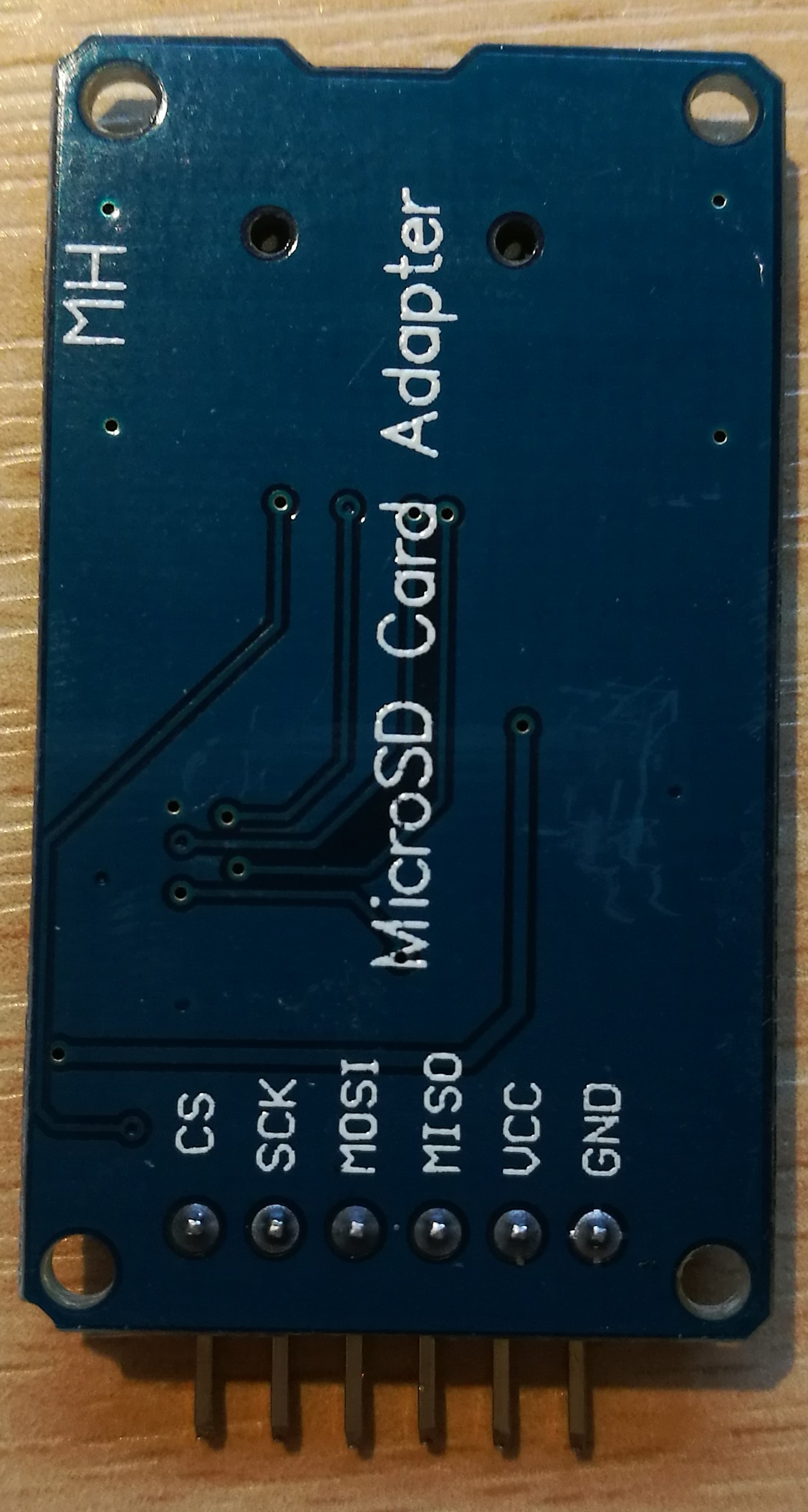
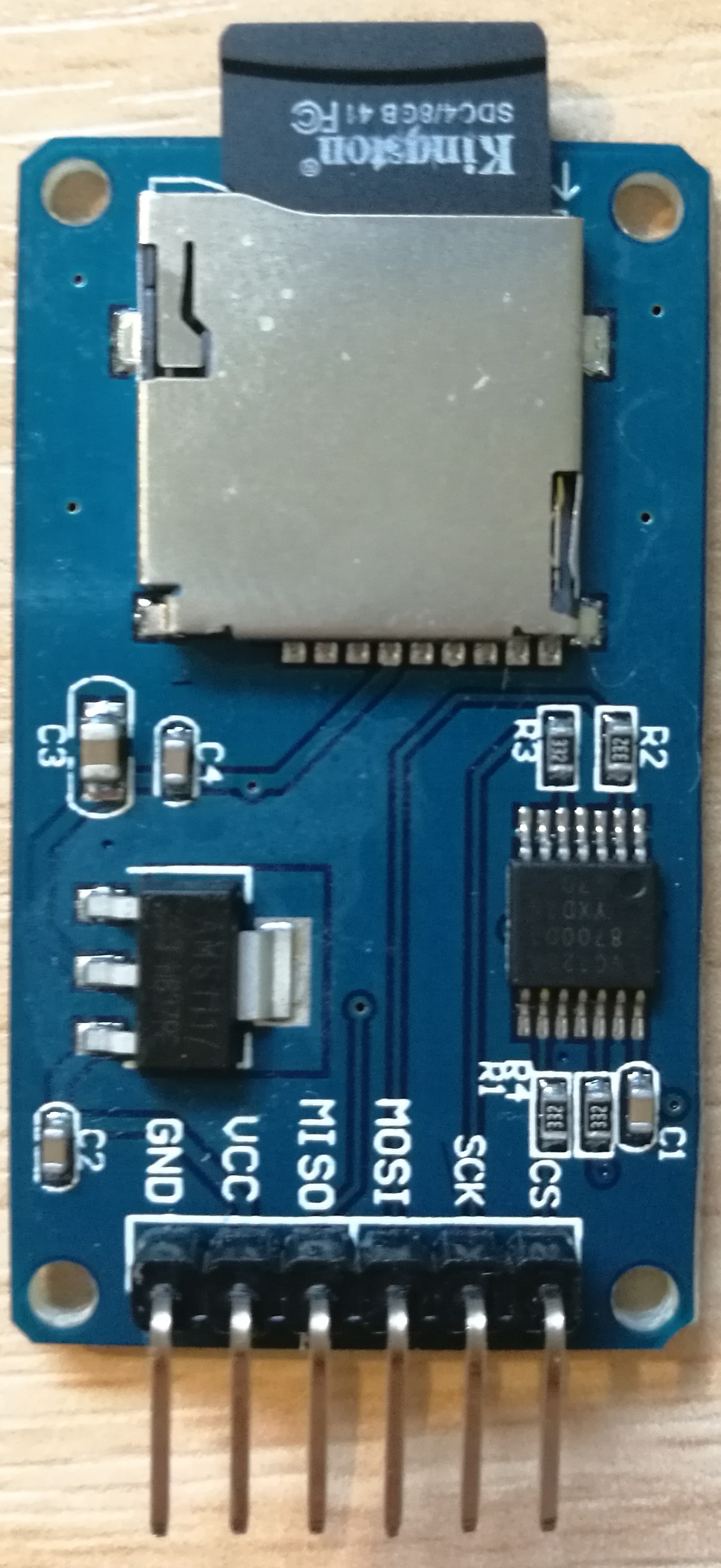
      • Using SD card to store all the data measured by the sensor
    • Create the website for the blog

  • Problem, issues and concerns

    • Where should the blog be written at and what’s the format for blog?
    • lacking for sensor and how to program them in the Arduino.
    • Learning about the sensor DHT11 and TGS813, different units of the temperature measurement and the other concept of the humidity measurement such as dew point.
  • Tasks for next week

    • Sensor connection with embedded system
    • Data collection and synchronization of robot with sensor system

Third week

  • Week’s activities

    • Connect the dht11 sensor and the microSD card module with the Arduino UNO board


      SD+DHT11
    • Program the Arduino UNO board to see the data collected by the sensor and verify the SD module.
    • The introduction of the dht11 module can be find on the Arduino official website, and the program can also be found on the website.

      Project code of DHT11

      1
      2
      3
      4
      5
      6
      7
      8
      9
      10
      11
      12
      13
      14
      15
      16
      17
      18
      19
      20
      21
      22
      23
      24
      25
      26
      27
      28
      29
      30
      31
      32
      33
      34
      35
      36
      37
      38
      39
      40
      41
      42
      43
      44
      45
      46
      47
      48
      49
      50
      51
      52
      53
      54
      55
      56
      57
      58
      59
      60
      61
      62
      63
      64
      65
      66
      67
      68
      69
      70
      71
      72
      73
      74
      75
      76
      77
      78
      79
      80
      81
      82
      83
      84
      85
      86
      87
      88
      89
      90
      91
      92
      double Fahrenheit(double celsius)
      {
      return 1.8 * celsius + 32;
      }
      double Kelvin(double celsius)
      {
      return celsius + 273.15;
      }
      double dewPoint(double celsius, double humidity)
      {
      double A0= 373.15/(273.15 + celsius);
      double SUM = -7.90298 * (A0-1);
      SUM += 5.02808 * log10(A0);
      SUM += -1.3816e-7 * (pow(10, (11.344*(1-1/A0)))-1) ;
      SUM += 8.1328e-3 * (pow(10,(-3.49149*(A0-1)))-1) ;
      SUM += log10(1013.246);
      double VP = pow(10, SUM-3) * humidity;
      double T = log(VP/0.61078); // temp var
      return (241.88 * T) / (17.558-T);
      }
      double dewPointFast(double celsius, double humidity)
      {
      double a = 17.271;
      double b = 237.7;
      double temp = (a * celsius) / (b + celsius) + log(humidity/100);
      double Td = (b * temp) / (a - temp);
      return Td;
      }
      #include <dht11.h>
      dht11 DHT11;
      #define DHT11PIN 2
      void setup()
      {
      Serial.begin(9600);
      Serial.println("DHT11 TEST PROGRAM ");
      Serial.print("LIBRARY VERSION: ");
      Serial.println(DHT11LIB_VERSION);
      Serial.println();
      }
      void loop()
      {
      Serial.println("\n");
      int chk = DHT11.read(DHT11PIN);
      Serial.print("Read sensor: ");
      switch (chk)
      {
      case DHTLIB_OK:
      Serial.println("OK");
      break;
      case DHTLIB_ERROR_CHECKSUM:
      Serial.println("Checksum error");
      break;
      case DHTLIB_ERROR_TIMEOUT:
      Serial.println("Time out error");
      break;
      default:
      Serial.println("Unknown error");
      break;
      }
      Serial.print("Humidity (%): ");
      Serial.println((float)DHT11.humidity, 2);
      Serial.print("Temperature (oC): ");
      Serial.println((float)DHT11.temperature, 2);
      Serial.print("Temperature (oF): ");
      Serial.println(Fahrenheit(DHT11.temperature), 2);
      Serial.print("Temperature (K): ");
      Serial.println(Kelvin(DHT11.temperature), 2);
      Serial.print("Dew Point (oC): ");
      Serial.println(dewPoint(DHT11.temperature, DHT11.humidity));
      Serial.print("Dew PointFast (oC): ");
      Serial.println(dewPointFast(DHT11.temperature, DHT11.humidity));
      delay(2000);
      }

Reference: http://playground.arduino.cc/Main/DHT11Lib
Then some new conceptions came out when looking at the explanation of the dht11 program, such as dewpoint() and dewpointfast, which need further study with the given website.
http://wahiduddin.net/calc/density_algorithms.htm
http://en.wikipedia.org/wiki/Dew_point
http://www.colorado.edu/geography/weather_station/Geog_site/about.htm

Project code for testing the MicroSD Card Module

1
2
3
4
5
6
7
8
9
10
11
12
13
14
15
16
17
18
19
20
21
22
23
24
25
26
27
28
29
30
31
32
33
34
35
36
37
38
39
40
41
42
43
44
45
46
47
48
#include <SPI.h>
#include <SD.h>
const int chipSelect = 4;
int a=0;
void setup()
{
Serial.begin(9600);
Serial.print("Initializing SD card...");
pinMode(10, OUTPUT);
if (!SD.begin(chipSelect)) {
Serial.println("Card failed, or not present");
return;
}
Serial.println("card initialized.");
}
void loop()
{
String dataString = "";
for (int analogPin = 0; analogPin < 3; analogPin++) {
int sensor = analogRead(analogPin);
dataString += String(sensor);
if (analogPin < 2) {
dataString += ",";
}
}
File dataFile = SD.open("datalog.txt", FILE_WRITE);
if (dataFile)
{
dataFile.println(dataString);
dataFile.close();
Serial.println(dataString);
}
else
{
Serial.println("error opening datalog.txt");
}
}

Project code for storing the data measured by DHT11

1
2
3
4
5
6
7
8
9
10
11
12
13
14
15
16
17
18
19
20
21
22
23
24
25
26
27
28
29
30
31
32
33
34
35
36
37
38
39
40
41
42
43
44
45
46
47
48
49
50
51
52
53
54
55
56
57
58
59
60
61
62
63
64
65
66
67
68
69
70
71
72
73
74
75
76
77
78
79
80
81
82
83
84
85
86
87
88
89
90
91
92
93
94
95
96
97
98
99
100
101
102
103
104
105
106
107
108
109
110
111
112
113
114
115
116
117
118
119
120
#include <dht11.h>
#include <SPI.h>
#include <SD.h>
const int chipSelect = 4;
dht11 DHT11;
#define DHT11PIN 2
int a=0;
double Fahrenheit(double celsius)
{
return 1.8 * celsius + 32;
}
double Kelvin(double celsius)
{
return celsius + 273.15;
}
double dewPoint(double celsius, double humidity)
{
double A0= 373.15/(273.15 + celsius);
double SUM = -7.90298 * (A0-1);
SUM += 5.02808 * log10(A0);
SUM += -1.3816e-7 * (pow(10, (11.344*(1-1/A0)))-1) ;
SUM += 8.1328e-3 * (pow(10,(-3.49149*(A0-1)))-1) ;
SUM += log10(1013.246);
double VP = pow(10, SUM-3) * humidity;
double T = log(VP/0.61078); // temp var
return (241.88 * T) / (17.558-T);
}
double dewPointFast(double celsius, double humidity)
{
double a = 17.271;
double b = 237.7;
double temp = (a * celsius) / (b + celsius) + log(humidity/100);
double Td = (b * temp) / (a - temp);
return Td;
}
void setup()
{
Serial.begin(9600);
Serial.print("Initializing SD card...");
pinMode(10, OUTPUT);
if (!SD.begin(chipSelect)) {
Serial.println("Card failed, or not present");
return;
}
Serial.println("card initialized.");
}
void loop()
{
File dataFile = SD.open("datalog.txt", FILE_WRITE);
int chk = DHT11.read(DHT11PIN);
if (dataFile)
{
float T=millis()/1000.0;
dataFile.print("Time: ");
dataFile.print(T);
dataFile.println("ms");
Serial.print("Time: ");
Serial.print(T);
Serial.println("ms");
dataFile.println("Humidity (%): ");
dataFile.println((float)DHT11.humidity, 2);
dataFile.println("\n");
Serial.print("Humidity (%): ");
Serial.println((float)DHT11.humidity, 2);
dataFile.println("Temperature (oC): ");
dataFile.println((float)DHT11.temperature, 2);
dataFile.println("\n");
Serial.print("Temperature (oC): ");
Serial.println((float)DHT11.temperature, 2);
dataFile.println("Temperature (oF): ");
dataFile.println(Fahrenheit(DHT11.temperature), 2);
dataFile.println("\n");
Serial.print("Temperature (oF): ");
Serial.println(Fahrenheit(DHT11.temperature), 2);
dataFile.println("Temperature (K): ");
dataFile.println(Kelvin(DHT11.temperature), 2);
dataFile.println("\n");
Serial.print("Temperature (K): ");
Serial.println(Kelvin(DHT11.temperature), 2);
dataFile.println("Dew Point (oC): ");
dataFile.println(dewPoint(DHT11.temperature, DHT11.humidity));
dataFile.println("\n");
Serial.print("Dew Point (oC): ");
Serial.println(dewPoint(DHT11.temperature, DHT11.humidity));
dataFile.println("Dew PointFast (oC): ");
dataFile.println(dewPointFast(DHT11.temperature, DHT11.humidity));
Serial.print("Dew PointFast (oC): ");
Serial.println(dewPointFast(DHT11.temperature, DHT11.humidity));
Serial.print("\n");
Serial.print("\n");
Serial.print("\n");
Serial.print("\n");
Serial.print("\n");
dataFile.println("\n");
}
else
{
Serial.println("error opening datalog.txt");
}
delay(1800);
dataFile.close();
}

Bluetooth module

Then the Bluetooth module is integrated in the circuit as shown in the figure
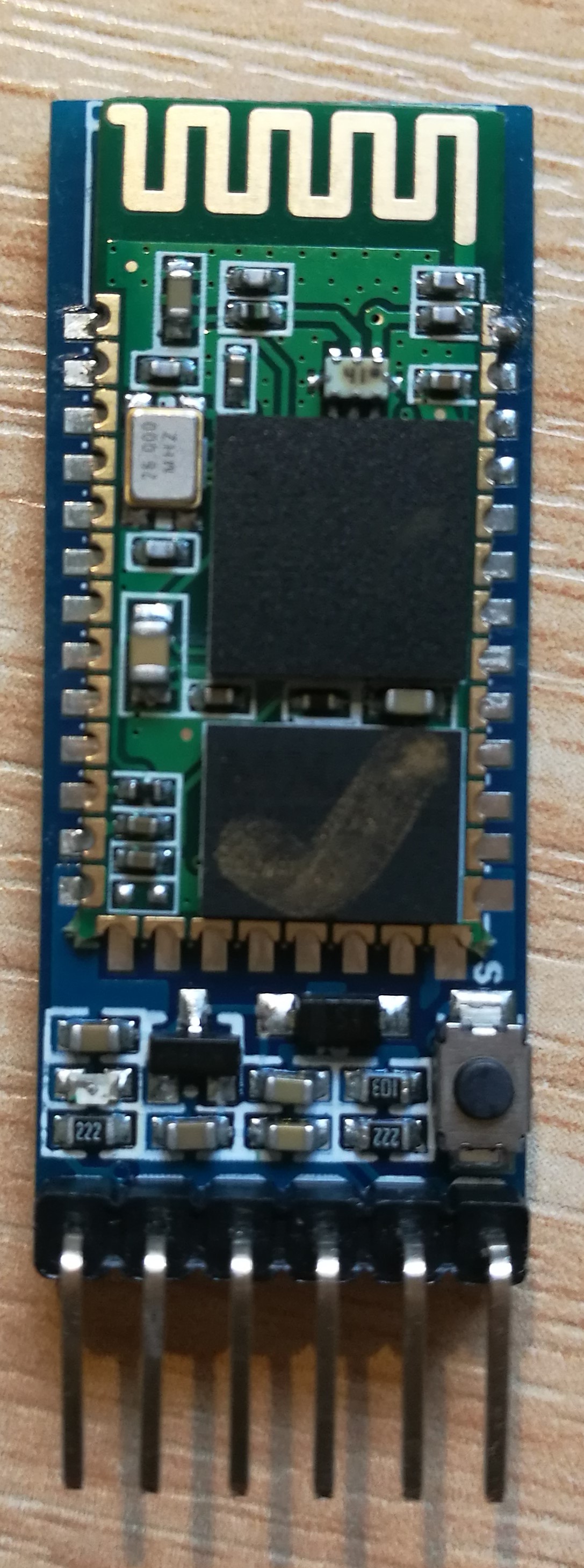

SD+DHT112

The Bluetooth module can be used to connect to the computer to measure the instant value.

Problem, issues and concerns

  • Bluetooth module cannot work in AT command
  • Gas sensor circuit’s build and programming

Tasks for next week

  • Configuration and testing of sensor

Fourth week

Week’s activities

The pin numbers are shown in the second figure following
Pin 1 and pin 6 are two terminals of one sensor
Pin 3 and pin 4 are two terminals of one sensor
Pin 2 and pin 5 are two terminals of one heating component (heater)

The circuit is connected as the structure shown in the third figure
VRL is connected to the terminal A0 on the Arduino board to measure the change of the voltage.
The digital pin 8 of the Arduino is connected to the breadboard for the input voltage of the LED light. When the voltage measured is higher than 1V (this value can be change to adjust the sensitivity of the TGS 813) the digital pin 8 will be pulled high and the LED will light on.
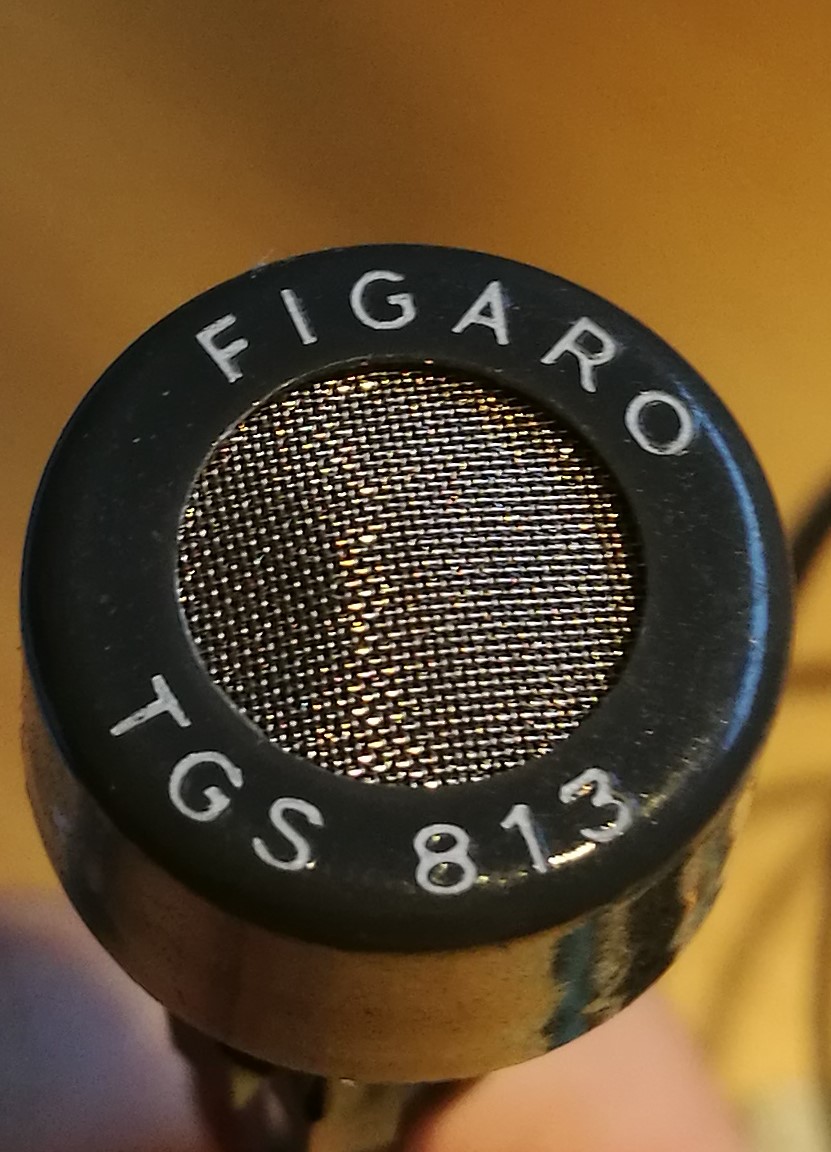
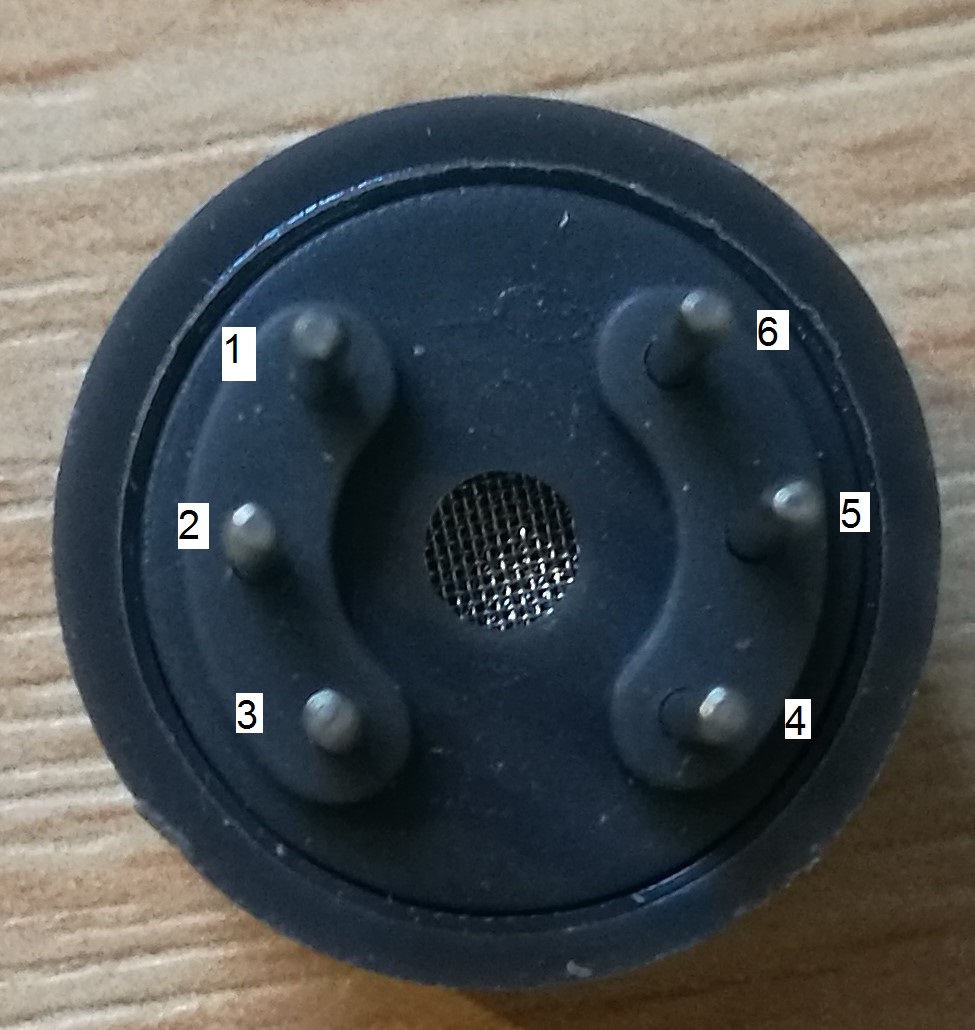

TGS813CIRCUIT

Project code of TGS813

1
2
3
4
5
6
7
8
9
10
11
12
13
14
15
16
17
18
19
20
21
22
23
24
25
26
27
28
29
30
31
float temp;
void setup()
{
Serial.begin(9600);
pinMode(8,OUTPUT);
}
void loop()
{
int V1 = analogRead(A0);
float vol = V1*(5.0 / 1023.0);
if (vol == temp)
{
temp = vol;
}
else
{
Serial.print(vol);
Serial.println(" V");
temp = vol;
if(temp>1)
{
digitalWrite(8,HIGH);
delay(500);
digitalWrite(8,LOW);
}
else
{
}
delay(100);
}
}

Project code of storing the data measured by TGS813 and DHT11

1
2
3
4
5
6
7
8
9
10
11
12
13
14
15
16
17
18
19
20
21
22
23
24
25
26
27
28
29
30
31
32
33
34
35
36
37
38
39
40
41
42
43
44
45
46
47
48
49
50
51
52
53
54
55
56
57
58
59
60
61
62
63
64
65
66
67
68
69
70
71
72
73
74
75
76
77
78
79
80
81
82
83
84
85
86
87
88
89
90
91
92
93
94
95
96
97
98
99
100
101
102
103
104
105
106
107
108
109
110
111
112
113
114
115
116
117
118
119
120
121
122
123
124
125
126
127
128
129
130
131
132
133
134
135
136
137
138
139
140
141
142
143
144
145
146
147
148
149
150
151
152
153
154
155
156
157
158
159
160
161
162
163
164
165
166
167
168
169
170
171
172
173
174
175
176
177
178
179
180
#include <dht11.h>
#include <SPI.h>
#include <SD.h>
const int chipSelect = 4;
dht11 DHT11;
#define DHT11PIN 2
int a=0;
double Fahrenheit(double celsius)
{
return 1.8 * celsius + 32;
}
double Kelvin(double celsius)
{
return celsius + 273.15;
}
double dewPoint(double celsius, double humidity)
{
double A0= 373.15/(273.15 + celsius);
double SUM = -7.90298 * (A0-1);
SUM += 5.02808 * log10(A0);
SUM += -1.3816e-7 * (pow(10, (11.344*(1-1/A0)))-1) ;
SUM += 8.1328e-3 * (pow(10,(-3.49149*(A0-1)))-1) ;
SUM += log10(1013.246);
double VP = pow(10, SUM-3) * humidity;
double T = log(VP/0.61078); // temp var
return (241.88 * T) / (17.558-T);
}
double dewPointFast(double celsius, double humidity)
{
double a = 17.271;
double b = 237.7;
double temp = (a * celsius) / (b + celsius) + log(humidity/100);
double Td = (b * temp) / (a - temp);
return Td;
}
void setup()
{
Serial.begin(9600);
Serial.print("Initializing SD card...");
pinMode(10, OUTPUT);
pinMode(8,OUTPUT);
if (!SD.begin(chipSelect)) {
Serial.println("Card failed, or not present");
return;
}
Serial.println("card initialized.");
}
int aa=0;
void loop()
{
File dataFile = SD.open("datalog.txt", FILE_WRITE);
int V1 = analogRead(A0);
float vol = V1*(5.0 / 1023.0);
float temp;
if (vol == temp)
{
temp = vol;
}
else
{
//Serial.print(vol);
//Serial.println(" V");
temp = vol;
if(temp>1)
{
digitalWrite(8,HIGH);
if(aa==3)
{
dataFile.print("Gas detection");
dataFile.println("Yes");
Serial.print("Gas detection:");
Serial.println("Yes");
}
delay(500);
digitalWrite(8,LOW);
}
else
{
if(aa==3){
dataFile.print("Gas detection");
dataFile.println("Yes");
Serial.print("Gas detection:");
Serial.println("No");
}
}
}
int chk = DHT11.read(DHT11PIN);
aa=aa+1;
dataFile.close();
if(aa==4){
File dataFile = SD.open("datalog.txt", FILE_WRITE);
if (dataFile)
{
//unsigned long T =millis ()/1000.0;
float T=millis()/1000.0;
dataFile.print("Time: ");
dataFile.print(T);
dataFile.println("ms");
Serial.print("Time: ");
Serial.print(T);
Serial.println("ms");
dataFile.println("Humidity (%): ");
dataFile.println((float)DHT11.humidity, 2);
dataFile.println("\n");
Serial.print("Humidity (%): ");
Serial.println((float)DHT11.humidity, 2);
dataFile.println("Temperature (oC): ");
dataFile.println((float)DHT11.temperature, 2);
dataFile.println("\n");
Serial.print("Temperature (oC): ");
Serial.println((float)DHT11.temperature, 2);
dataFile.println("Temperature (oF): ");
dataFile.println(Fahrenheit(DHT11.temperature), 2);
dataFile.println("\n");
Serial.print("Temperature (oF): ");
Serial.println(Fahrenheit(DHT11.temperature), 2);
dataFile.println("Temperature (K): ");
dataFile.println(Kelvin(DHT11.temperature), 2);
dataFile.println("\n");
Serial.print("Temperature (K): ");
Serial.println(Kelvin(DHT11.temperature), 2);
dataFile.println("Dew Point (oC): ");
dataFile.println(dewPoint(DHT11.temperature, DHT11.humidity));
dataFile.println("\n");
Serial.print("Dew Point (oC): ");
Serial.println(dewPoint(DHT11.temperature, DHT11.humidity));
dataFile.println("Dew PointFast (oC): ");
dataFile.println(dewPointFast(DHT11.temperature, DHT11.humidity));
Serial.print("Dew PointFast (oC): ");
Serial.println(dewPointFast(DHT11.temperature, DHT11.humidity));
Serial.print("\n");
Serial.print("\n");
Serial.print("\n");
Serial.print("\n");
Serial.print("\n");
dataFile.println("\n");
aa=0;}
else
{
Serial.println("error opening datalog.txt");
}
delay(1800);
dataFile.close();
}
}

Problem, issues and concerns

The connection between two parts by Bluetooth

Tasks for next week

  1. Configuring robot and communication between two parts (robot and station)
  2. Blog

Fifth week

Week’s activities

The car was programmed to send the weather station to the specific place
The car has two mode:

  1. Go and back with specific route
  2. Go following a line

Project code for mBot (Vehicle)

1
2
3
4
5
6
7
8
9
10
11
12
13
14
15
16
17
18
19
20
21
22
23
24
25
26
27
28
29
30
31
32
33
34
35
36
37
38
39
40
41
42
43
44
45
46
47
48
49
50
51
52
53
54
55
56
57
58
59
60
61
62
63
64
65
66
67
68
69
70
71
72
73
74
75
76
77
78
79
80
81
82
83
84
85
86
87
88
89
90
91
92
93
94
95
96
97
98
99
100
101
102
103
104
105
106
107
108
109
110
111
112
113
114
115
116
117
118
119
120
121
122
123
124
125
126
127
128
129
130
131
132
#include <Arduino.h>
#include <Wire.h>
#include <SoftwareSerial.h>
#include <MeMCore.h>
MeDCMotor motor_9(9);
MeDCMotor motor_10(10);
void move(int direction, int speed)
{
int leftSpeed = 0;
int rightSpeed = 0;
if(direction == 1){
leftSpeed = speed;
rightSpeed = speed;
}else if(direction == 2){
leftSpeed = -speed;
rightSpeed = -speed;
}else if(direction == 3){
leftSpeed = -speed;
rightSpeed = speed;
}else if(direction == 4){
leftSpeed = speed;
rightSpeed = -speed;
}
motor_9.run((9)==M1?-(leftSpeed):(leftSpeed));
motor_10.run((10)==M1?-(rightSpeed):(rightSpeed));
}
double angle_rad = PI/180.0;
double angle_deg = 180.0/PI;
double t;
double turn;
MeRGBLed rgbled_7(7, 7==7?2:4);
MeBuzzer buzzer;
MeUltrasonicSensor ultrasonic_3(3);
MeLineFollower linefollower_2(2);
void setup(){
pinMode(A7,INPUT);
}
void loop(){
rgbled_7.setColor(0,20,0,20);
rgbled_7.show();
_delay(0.8);
rgbled_7.setColor(0,0,20,20);
rgbled_7.show();
_delay(0.8);
rgbled_7.setColor(0,20,20,20);
rgbled_7.show();
while(!((0^(analogRead(A7)>10?0:1))))
{
_loop();
}
buzzer.tone(262, 1000);
delay(20);
for(int __i__=0;__i__<5;++__i__)
{
_delay(3);
t = 0;
turn = 0;
rgbled_7.setColor(0,0,20,20);
rgbled_7.show();
while(!((ultrasonic_3.distanceCm()) < (15)))
{
_loop();
move(1,150);
_delay(0.1);
t += 1;
}
move(1,0);
rgbled_7.setColor(0,20,20,0);
rgbled_7.show();
buzzer.tone(262, 1000);
delay(20);
_delay(5);
buzzer.tone(262, 1000);
delay(20);
while(!((turn) > (8)))
{
_loop();
move(4,143);
_delay(0.1);
turn += 1;
}
while(!((t) < (0 )))
{
_loop();
move(1,150);
_delay(0.1);
t += -1;
}
move(1,0);
rgbled_7.setColor(0,0,20,20);
rgbled_7.show();
buzzer.tone(110, 500);
delay(20);
buzzer.tone(262, 500);
delay(20);
buzzer.tone(165, 500);
delay(20);
}
rgbled_7.setColor(0,0,0,30);
rgbled_7.show();
while(!((1^(analogRead(A7)>10?0:1))))
{
_loop();
}
buzzer.tone(87, 500);
delay(20);
buzzer.tone(87, 500);
delay(20);
while(!((0^(analogRead(A7)>10?0:1))))
{
_loop();
rgbled_7.setColor(0,0,30,0);
rgbled_7.show();
if((true&&(1?(linefollower_2.readSensors()&2):!(linefollower_2.readSensors()&2)))){
move(4,100);
_delay(0.1);
}else
{
_delay(0.1);
move(3,100);
}
}
_loop();
}
void _delay(float seconds){
long endTime = millis() + seconds * 1000;
while(millis() < endTime)_loop();
}
void _loop(){
}

AT mode of Bluetooth module

Before the Bluetooth module begin working, push the button switch and pull pin 34 voltage high by wiring to Vcc. Then the Bluetooth module enter the AT command mode.
The light should be flashed slowly.
The pin 34 should be voltage high all the time to ensure Bluetooth is in “full” AT mode. If the pin 34 return the voltage low after Bluetooth is working, it will enter a mode named “mini” AT mode, in which some commands will fail.

Project code for AT mode

1
2
3
4
5
6
7
8
9
10
11
12
13
14
15
16
17
18
19
20
21
22
23
24
25
26
27
28
29
30
31
32
33
34
35
36
37
38
39
40
41
42
43
44
45
// Basic Bluetooth sketch HC-05_AT_MODE_01
// Communicate with a HC-05 using the serial monitor
//
// The HC-05 defaults to communication mode when first powered on you will need to manually enter AT mode
// The default baud rate for AT mode is 38400
// See www.martyncurrey.com for details
//
#include <SoftwareSerial.h>
SoftwareSerial BTserial(6,7); // RX | TX
// Connect the HC-05 TX to Arduino pin 0 RX.
// Connect the HC-05 RX to Arduino pin 1 TX through a voltage divider.
//
char c = ' ';
void setup()
{
Serial.begin(9600);
Serial.println("Arduino is ready");
Serial.println("Remember to select Both NL & CR in the serial monitor");
// HC-05 default serial speed for AT mode is 38400
BTserial.begin(38400);
}
void loop()
{
// Keep reading from HC-05 and send to Arduino Serial Monitor
if (BTserial.available())
{
c = BTserial.read();
Serial.write(c);
}
// Keep reading from Arduino Serial Monitor and send to HC-05
if (Serial.available())
{
c = Serial.read();
BTserial.write(c);
}
}

For the Bluetooth on the vehicle the group cannot enter the AT mode until the end of the lab day, so it’s a disadvantage that the weather station and vehicle cannot synchronize.
Then the vehicle and weather station can be considered as two individual part except the power supply.

Reference:

  1. http://www.martyncurrey.com/
  2. http://www.martyncurrey.com/arduino-with-hc-05-bluetooth-module-at-mode/

Problem, issues and concerns

  • The vehicle cannot enter the AT mode due to its special system although it is based on Arduino.

Tasks for next week

  1. Blog
  2. Poster